DEEPSOUND T3 Product Manual
- Hardware Version: v1.0.0
- Manual Version: v1.0
- Release Date: 2026-04-30
- Last Updated: 2026-04-30
- Author: SEONGSANLAB Co., Ltd.
PART I: Safety and Maintenance
1.1 Safety Information
- This device consists of precision electronic components and high-voltage pulser circuits. Please read the following safety instructions carefully before use.
- Using an external power supply that does not meet the specifications may result in system circuit damage or fire hazard.
- The T3 model features an ultra-lightweight design for excellent mobility; however, exercise caution as strong impact or dropping can damage internal precision components.
- There are no user-serviceable parts inside the device. Unauthorized disassembly will void the free repair service.
- Maintain a dry environment when using the device; using it in high humidity or splashing water poses a risk of short circuits and electric shock.
1.2 Maintenance of the Device
- Operating Temperature: Recommended range is 0°C to 60°C. Avoid extreme temperature conditions.
- Storage Temperature: Store in an environment between -20°C and 80°C. A cool place away from direct sunlight is recommended.
- If the device is not used for more than one month, remove the battery from the main unit for storage.
- Use the dedicated carrying case to protect the device from external impacts during transportation.
1.3 Cleaning Guide
- Screen Cleaning: Use a soft, lint-free dry cloth to clean the 7-inch capacitive touchscreen. For severe contamination, use a small amount of alcohol-based dedicated cleaner.
- Port Management: Exercise extreme caution to prevent liquids or foreign objects from entering probe connection ports such as Lemo 00.
- Dust Removal: Regularly remove dust around external input/output ports using a non-contact air spray.
PART II: Product Overview
2.1 Introduction to DEEPSOUND T3
- DEEPSOUND T3 is a dedicated device for high-performance Conventional UT (Ultrasonic Testing) and TOFD inspection, providing extreme field mobility and precise inspection performance.
- With an ultra-compact design weighing less than 1 kg (0.9 kg including battery), it is optimized for precision inspections in tight spaces or high-altitude work environments.
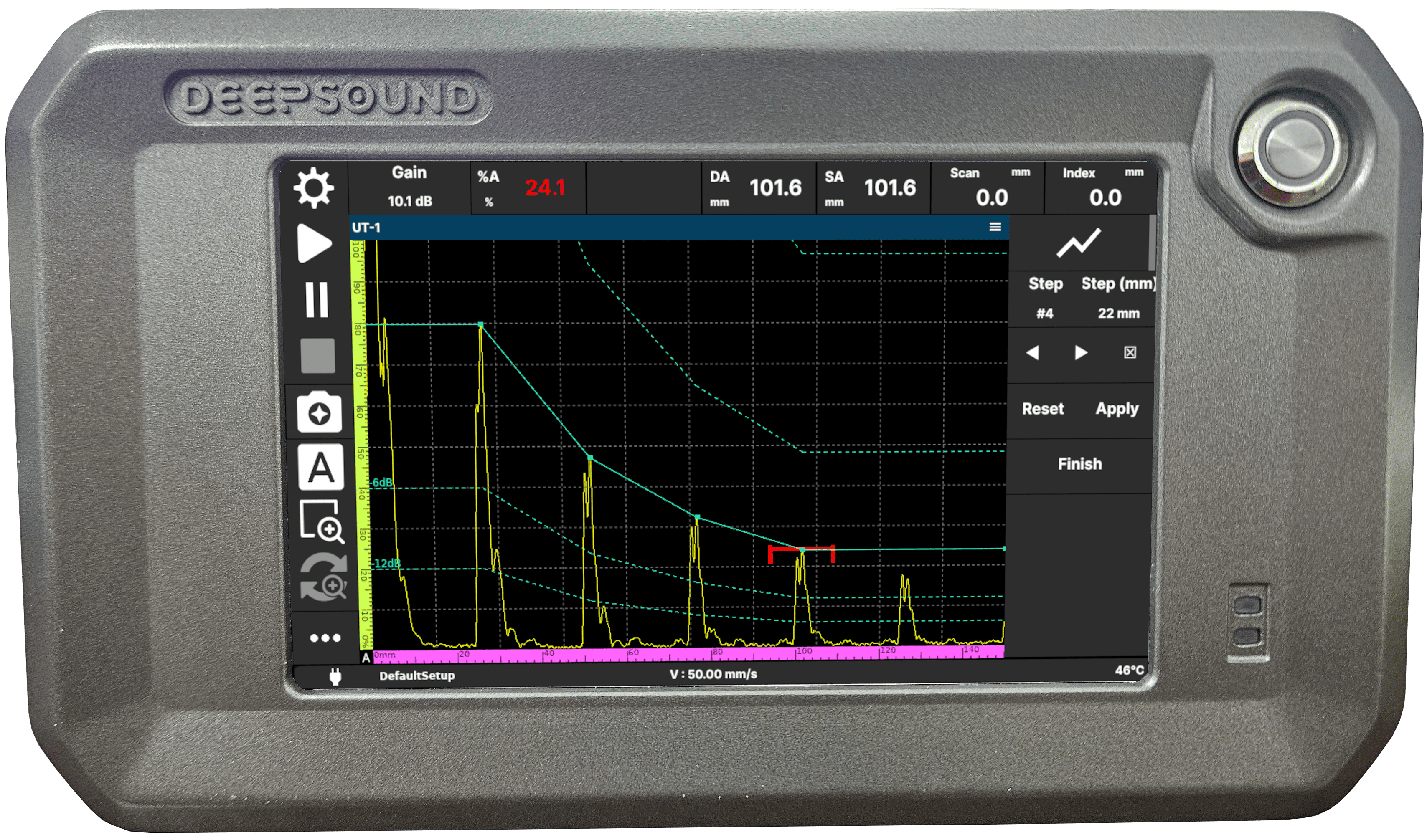
DEEPSOUND T3 Product Overview (A-Scan Interface Display)
2.2 Hardware Characteristics
- Display: Equipped with a 7-inch high-resolution capacitive touchscreen for intuitive operation and excellent visibility.
- Channel Configuration: Supports a 2-channel UT configuration, enabling clear signal acquisition through a high-voltage pulser.
- Inspection Mode: Supports Conventional UT and TOFD modes, allowing for real-time A/B/C-scan display.
- Data Utilization: Supports precise data acquisition through encoder synchronization and data backup via USB/LAN.
PART III: Hardware Interface
3.1 Device Layout and Parts
- DEEPSOUND T3 has all input/output ports efficiently arranged to suit the characteristics of a portable device.
3.1.1 Front View
- Display: Use the 7-inch touchscreen to check various inspection modes such as A-Scan and B-Scan and parameter settings in real-time.
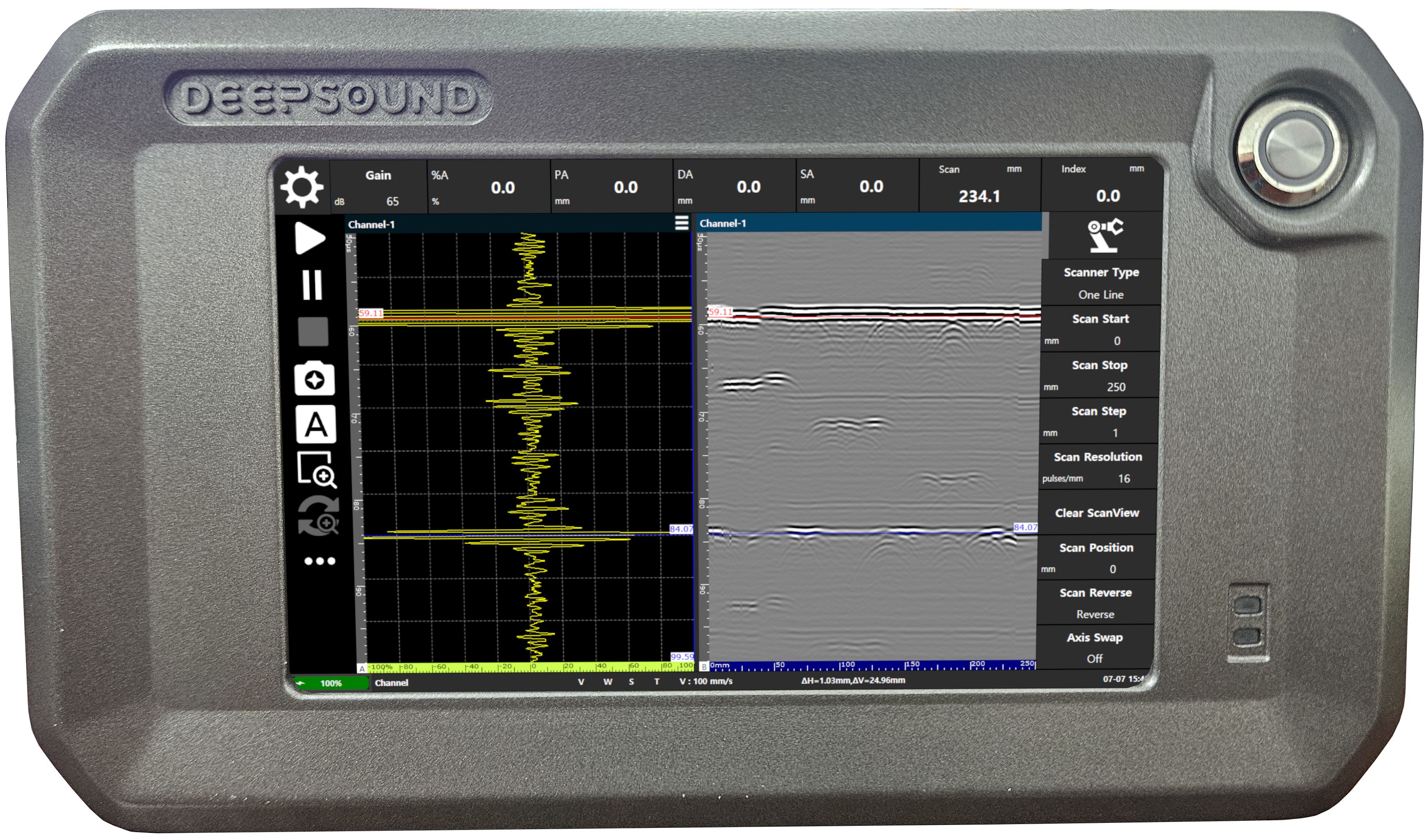
DEEPSOUND T3 Front View (A-Scan & B-Scan Multi-View)
3.1.2 Top Interface
- UT Ports (Lemo 00 x 2): Ports for connecting conventional ultrasonic and TOFD probes.
- Encoder Port: Encoder connection port for collecting scanner position information.
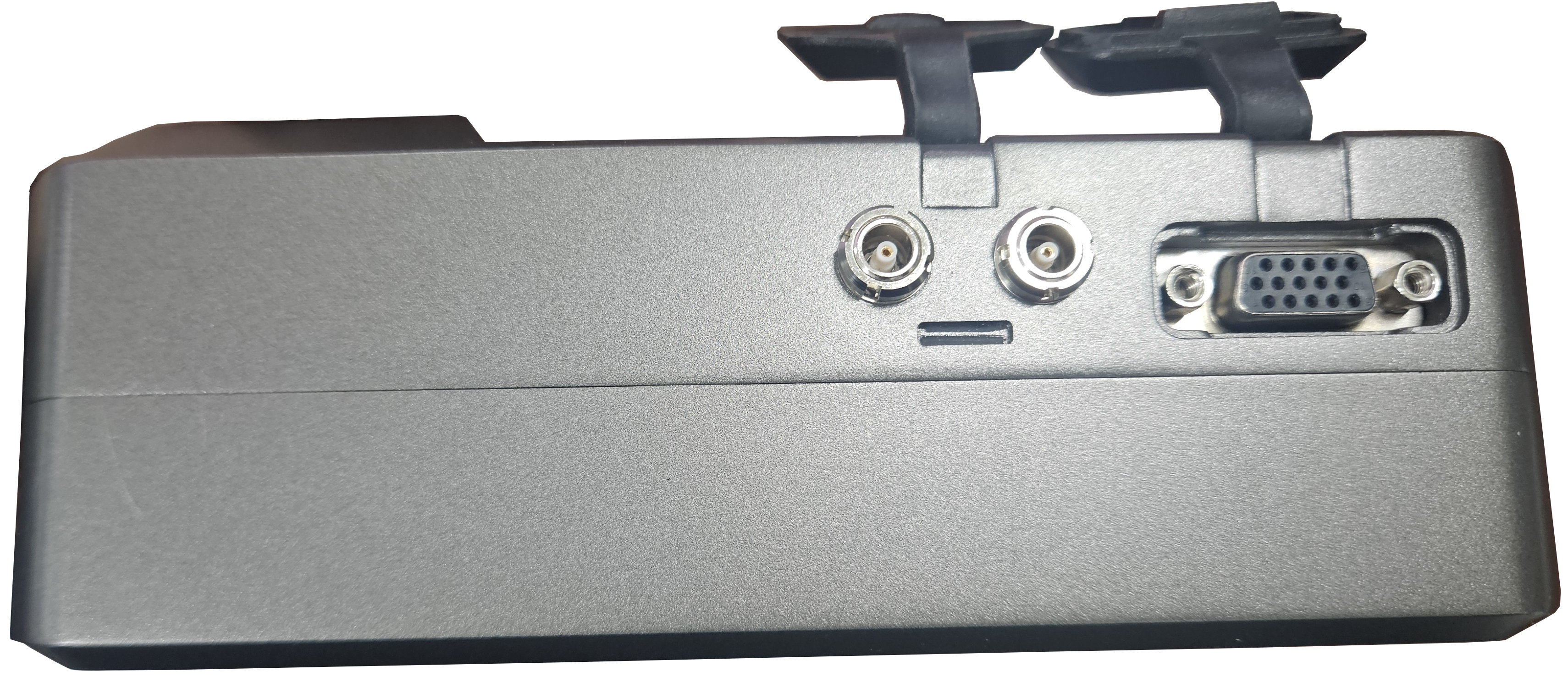
DEEPSOUND T3 Top Interface (UT / Encoder)
3.1.3 Side Interface
- I/O Ports: USB 3.0, LAN, and DC power ports are located on the right side of the device.
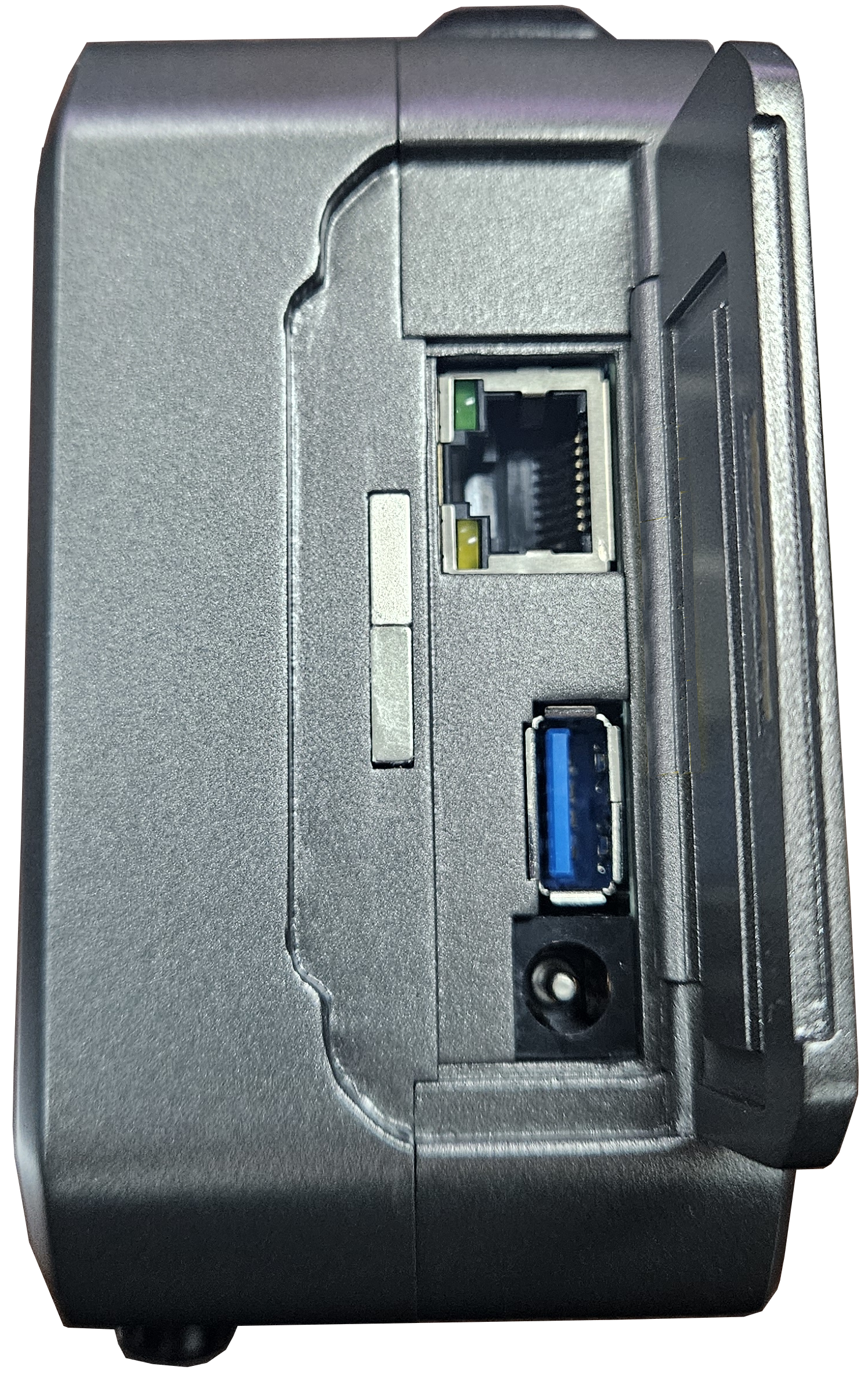
DEEPSOUND T3 Side Interface (I/O Port Details)
3.1.4 Bottom Interface (Battery Compartment)
- Battery Compartment: Space for installing the dedicated battery pack by opening the cover at the bottom of the device.
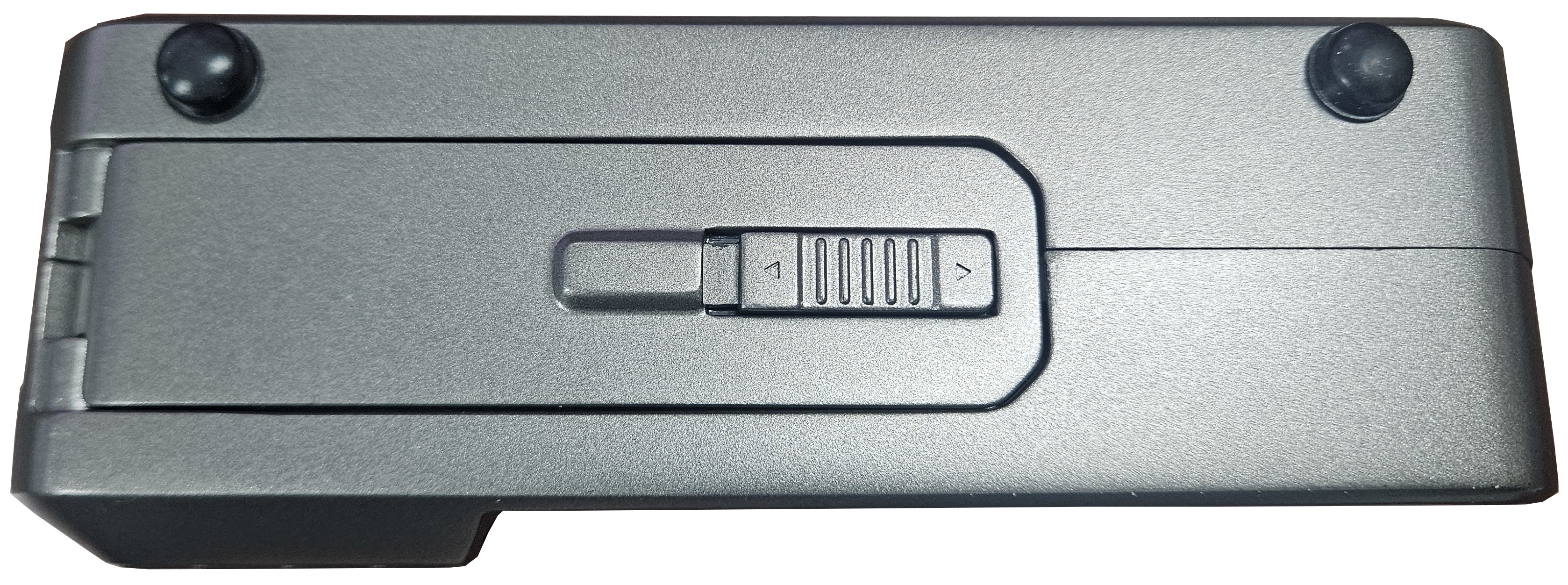
DEEPSOUND T3 Bottom Interface (Battery Compartment)
PART IV: Preparation for Use
4.1 Batteries and Power Management
- Battery Specification: Uses a dedicated 7.2 V / 6600 mAh lithium-ion battery pack.
- Operation Time: Capable of long-duration operation when fully charged, depending on the field environment.
4.2 Installing and Charging the Battery
- Battery Installation: Open the battery cover at the bottom of the device and insert one dedicated battery pack into the slot, aligning it with the terminal direction.
- Battery Charging: Connect the dedicated adapter (12V 5A) to the DC port on the side to charge.
4.3 Turning ON/OFF the Device
- Power Operation: Control system power through physical buttons or the touchscreen.
PART V: External Connections
5.1 Probe Connections
- UT/TOFD Probe: Secure it to the top Lemo 00 port using the dedicated cable.
5.2 Ethernet and USB
- Data Communication: Connect to a PC via the LAN port or back up data through the USB port.
PART VI: Device Specifications
6.1 General Specifications
- Dimensions (WxHxD): 174 x 111.5 x 61 mm
- Weight: 0.9 kg (With Battery)
- Power Supply: DC 12 V, 5 A
- Display: 7.0” Wide Monitor [ 1024 x 600 ]
6.2 Connectivity & Environmental
- USB Port: USB 3.0 x 1
- LAN Port: RJ45 Ethernet x 1
- Probe Port: Lemo 00 UT Connector x 2
- Encoder Port: 2-axis Encoder input x 1
- Operating Temperature: 0 ~ 60 °C
6.3 Acoustic Specifications
- Pulser (Voltage): 25 V ~ 160 V (5 V Step)
- Pulser (Pulse Shape): Bipolar Pulse
- Pulser (Pulse Width): 50 ns ~ 2,000 ns
- Receiver (Gain Range): 0 dB ~ 90 dB
- Receiver (Band Width): 0.5 ~ 20 MHz
- Receiver (Sample Resolution): 16 bit
- A-scan Data Points: Up to 16,384 points
PART VII: Troubleshooting
7.1 Basic Troubleshooting
- Power Failure: Check the battery installation status and adapter connection.
- Signal Not Detected: Check probe cable connection and Gain settings.
7.2 Support
- Manufacturer: SEONGSANLAB Co., Ltd.
- Contact: +82-2-2039-5725 / admin@dspaut.com